
the collaboration workspace for AI-native teams
Build knowledge
like software.
Humans and agents write together. Markdown and HTML docs on branches you review and merge. Organized so agents find the right context.
Sign up for a forever free account today.
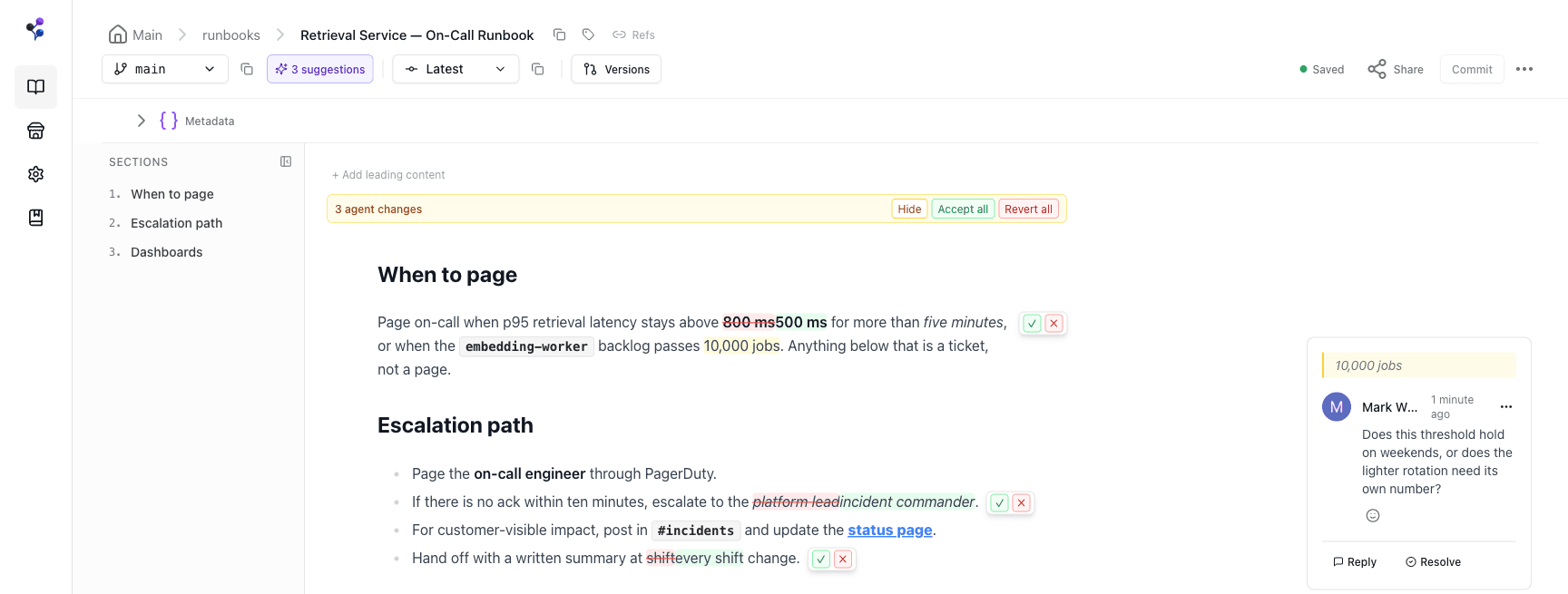
agent edits arrive on a branch, reviewable inline
01 · write together
One editor. Two kinds of teammates.
Moxn is a workspace people want to write in. Agents are collaborators in it, not integrations bolted on. Everyone edits the same living documents, and every agent edit stays reviewable.
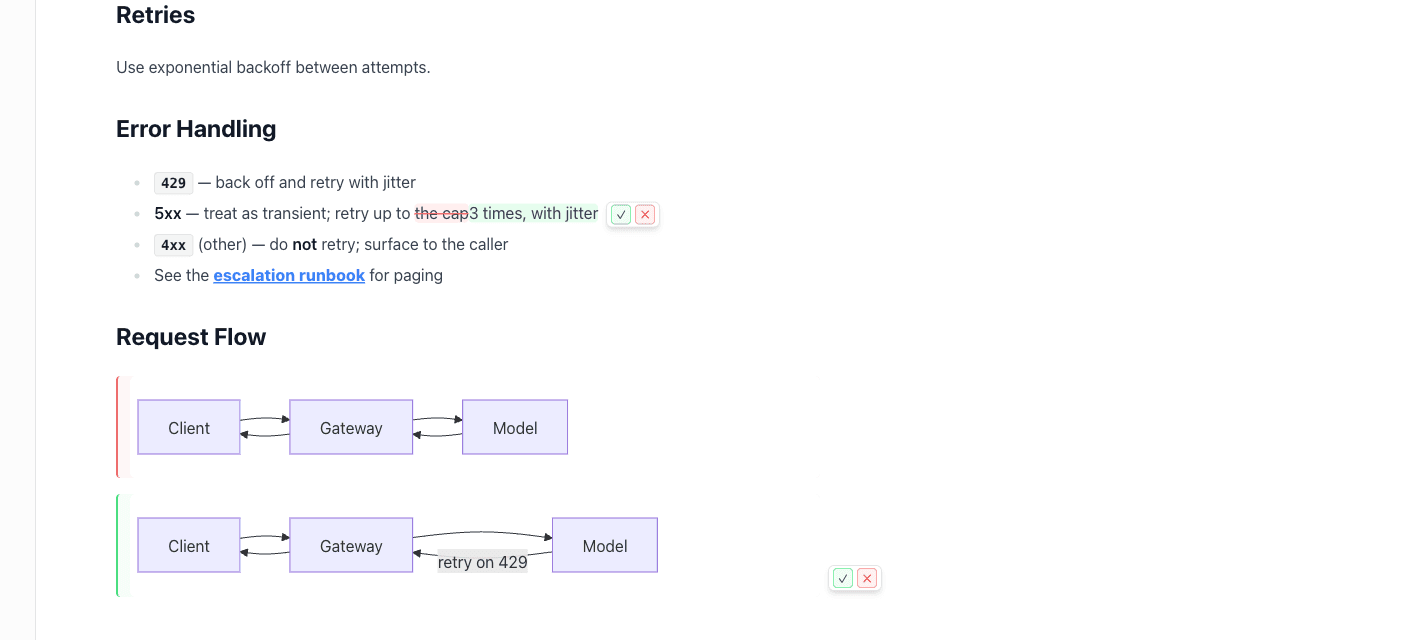
accept / revert controls on an agent's suggested change
Realtime, together
A rich collaborative editor your team actually writes in, with live cursors, comments, and clean markdown underneath.
Agent edits stay visible
Agents write through the same door. Their edits land as suggestions you accept, revert, or refine inline.
Discuss in place
Comment threads live with the content and survive every edit, branch, and merge.
02 · branch & merge
Branches let agents collaborate.
Humans review what changed.
Trusted updates go straight to main. Exploratory work gets its own branch, so agents never overwrite each other. When a branch is ready, you see exactly what changed before it merges.
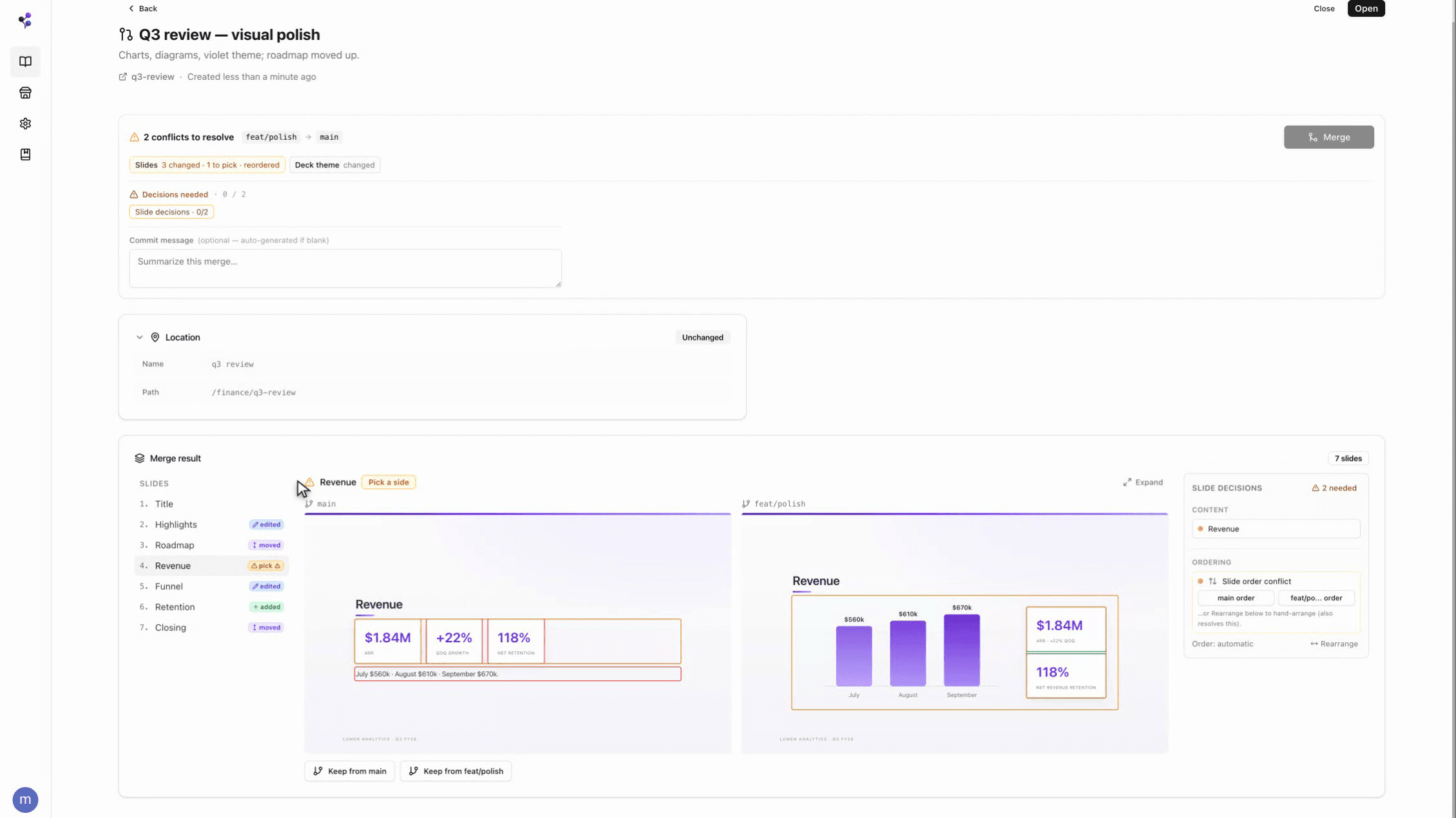
a merge request on a slide deck: side-by-side diff, pick a side, merge
Real diffs, not guesswork
Section-grain diffs across text, diagrams, tables, and slides. Review agent work the way you review a pull request.
Parallel agents, zero collisions
Each agent works its own branch. Compare outcomes and keep the strongest, discard the rest.
03 · the filesystem
One home for everything your team and agents create.
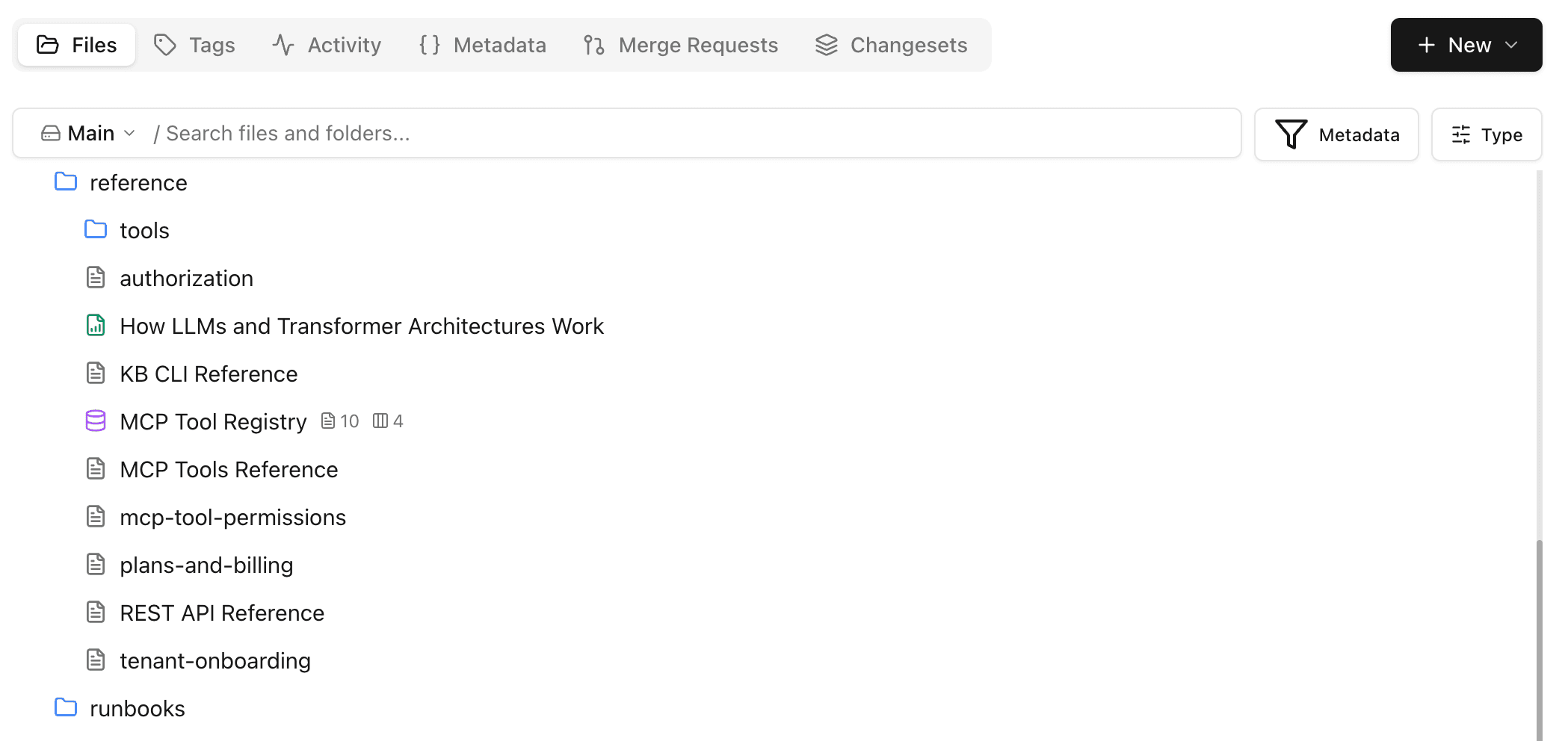
Every file lands in a permissioned, versioned virtual filesystem. Real paths, typed metadata, and hierarchical tags make it searchable by humans and agents. If your current content store feels like a black hole, Moxn will feel very different.
04 · organize & find
Structure designed for agents.
Moxn's metadata system does two jobs: it steers agents as they write, and it makes their work findable. Parallel agents share one ontology, and any agent can read the schemas first, then search with real fields instead of guessing keywords.
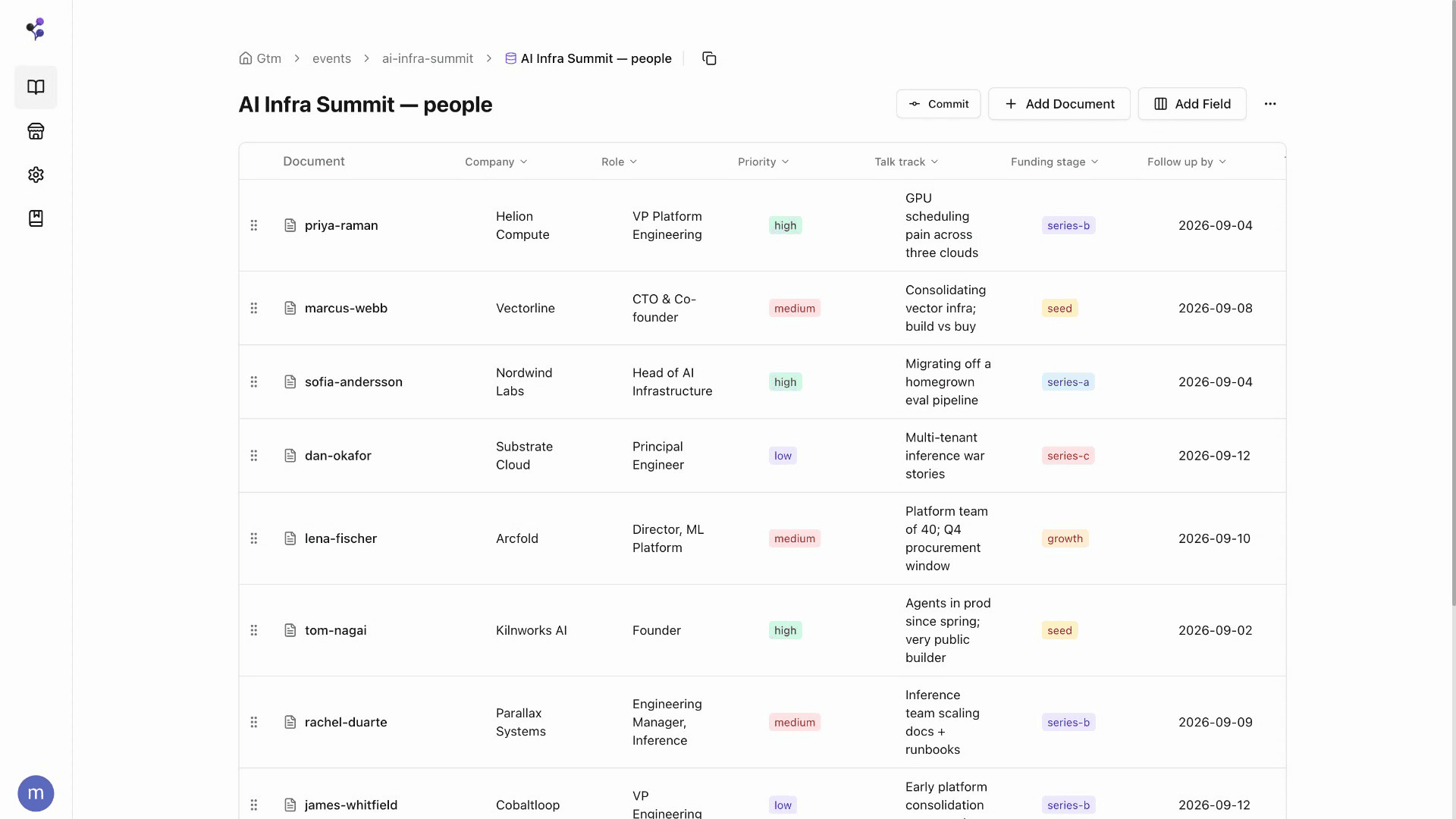
documents in a typed grid: every column is a schema field agents fill and filter by
Validated on write
Every field declares a type and its allowed values. A write that breaks the schema is rejected, so a bad agent run cannot quietly corrupt the structure.
Versioned schemas
Fields and schemas carry versions and releases. Changing one is a tracked event, not a silent break for the agents that depend on it.
Paths and tags
Documents sit in a real folder hierarchy. Tags add labels that cut across it, and filtering a parent tag covers everything beneath it.
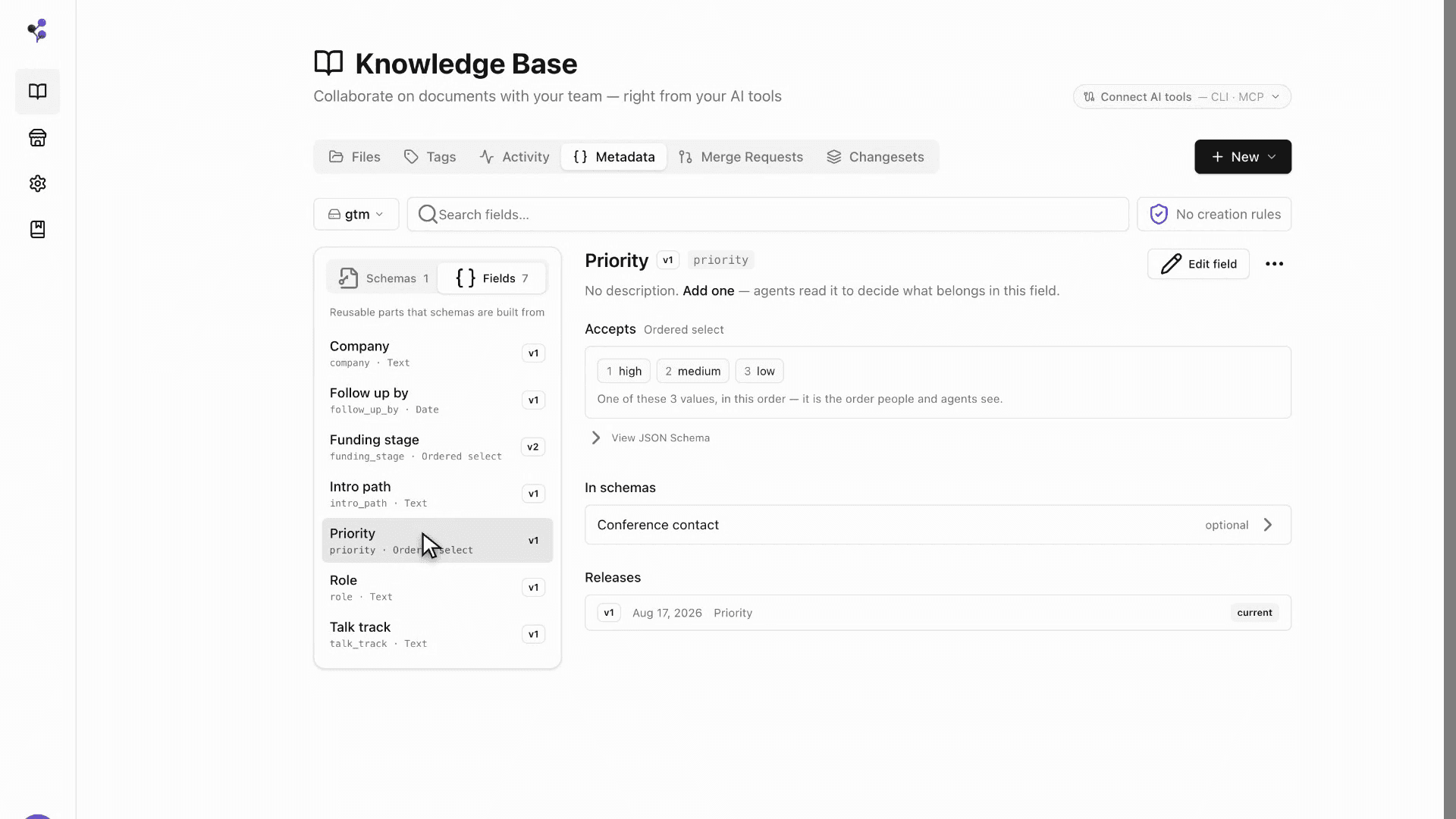
the schema registry: versioned fields agents read before they write or search
05 · connect
Your agents are already compatible.
Native MCP server and a CLI, whichever your agent speaks. The same tools power both: find, search, read, write, branch, and merge.
MCP Server
Native protocol integration
{
  "mcpServers": {
    "context": {
      "type": "stdio",
      "command": "npx",
      "args": ["-y", "@moxn/mcp-kb@latest", "--workspace=<your-workspace>"]
    }
  }
}
Runs locally via npx. Supports file uploads (images, PDFs, CSVs). On first use, a browser opens for authentication.
CLI
Shell commands for any agent
$ npm install -g @moxn/context-cli$ context install-skill$ context find --type documentWorks with Claude Code, Codex, Open Claw, and any agent that can run shell commands.
portability
Bring your knowledge.
Keep your exit path.
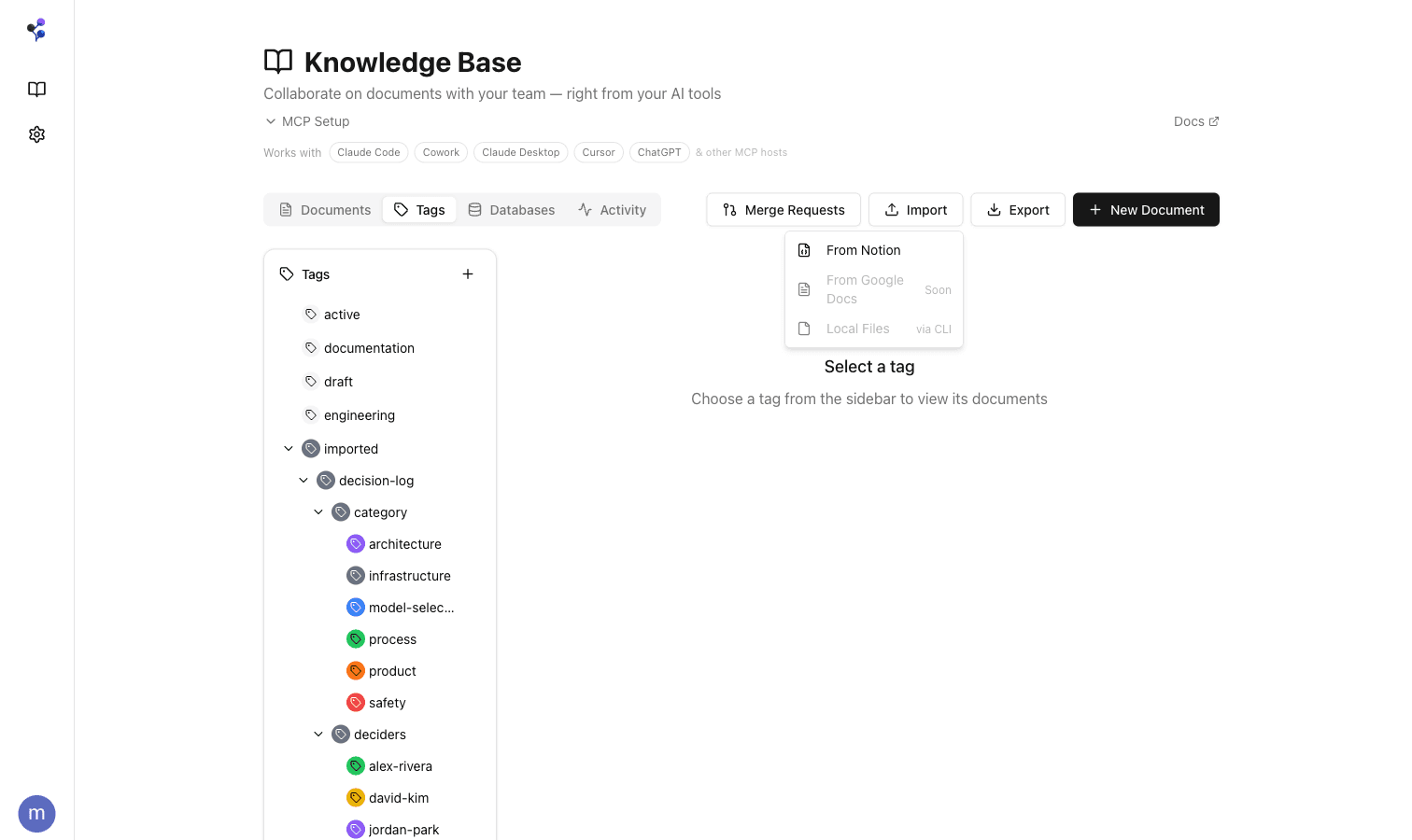
Import from Notion with round-trip fidelity. Pages, databases, properties, and cross-references come through intact. Markdown and CSV too.
Export back out any time. If you don't love Moxn, you haven't lost anything.
Need help importing? Join our Slack community and we'll get you set up.
security
Your data, protected
Encryption, isolation, and access controls at every layer.
Encrypted everywhere
AES-256 at rest. TLS in transit. API keys hashed with SHA-256.
Workspace isolation
Every operation is scoped to your workspace, enforced at the data layer.
Authentication & SSO
Enterprise SSO/SAML. Role-based access. Scoped API keys with expiration.
SOC2-certified infra
Hosted on Supabase, Vercel, and Clerk, all independently SOC2 Type II certified.
Simple, transparent pricing
Start free, scale as you grow.
The Free plan is free forever. Paid plans start with a 60-day trial, cancel anytime.
Free
Get started with Moxn at no cost
- Up to 20 documents
- 1 filesystem
- MCP/CLI access for AI agents
- Branching, merging & version history
- Search designed for agents
- Section-level permissions
- Slack community support
Individual
A context OS for you and your AI tools
60 days free for new users
- Everything in Free
- Unlimited documents
- Unlimited filesystems
- Notion & Markdown import
Team
Real-time collaboration for your team and AI agents
60 days free for new users
- Everything in Individual
- Up to 20 team members
- Real-time co-editing
- Priority support