
The Knowledge Base Built for
Human & AI Collaboration
Agents connect via MCP or CLI to search, read, and write your docs.
Your team edits in a rich web editor.
Branching and version control keep everyone in sync.
60-day free trial — cancel anytime
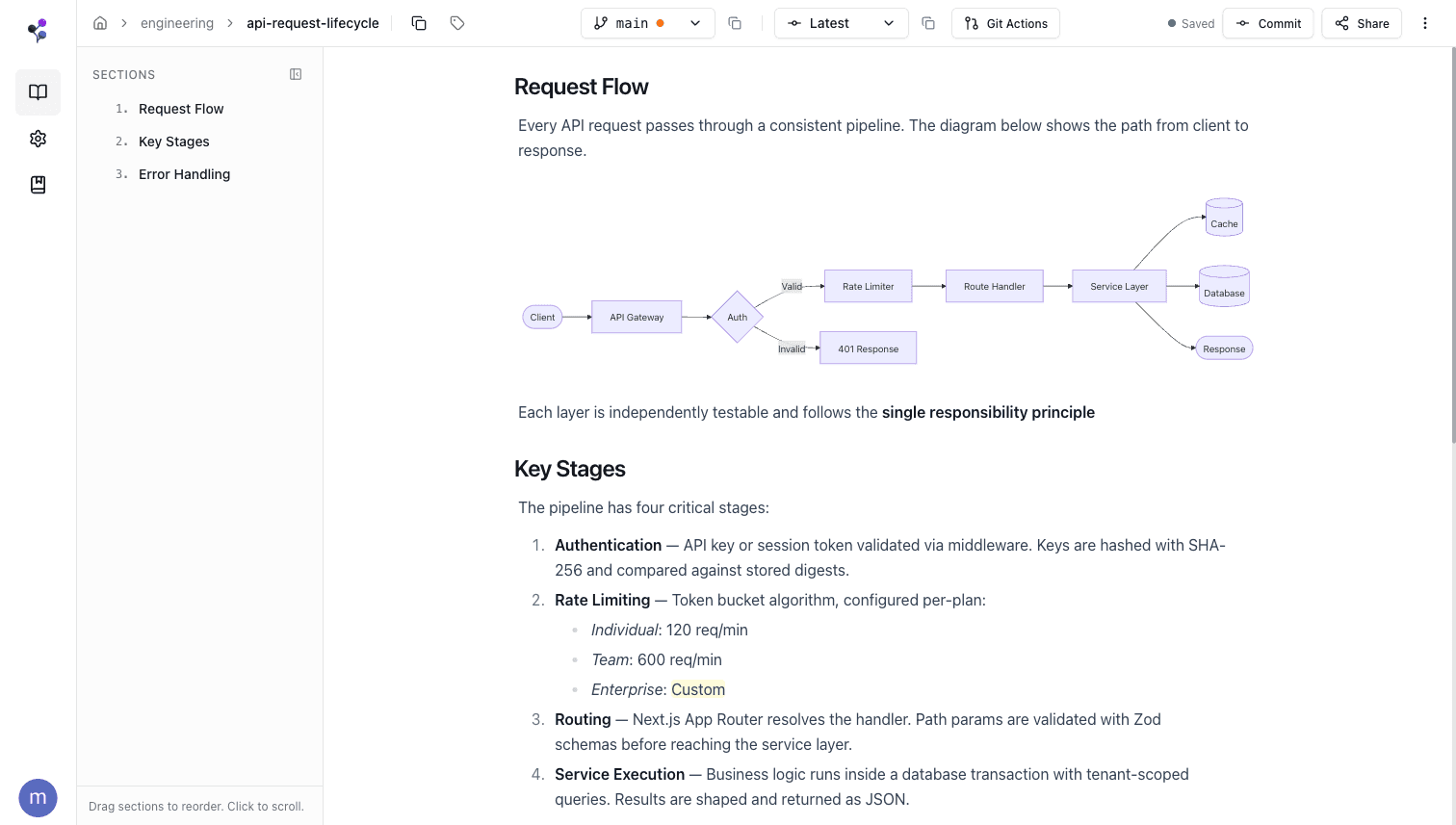
Connect your agents in 30 seconds
Two ways to connect—pick the one that fits your workflow.
MCP Server
Native protocol integration
Add the server to your MCP config and your agent gets every tool automatically.
{
  "mcpServers": {
    "knowledge-base": {
      "type": "stdio",
      "command": "npx",
      "args": ["@moxn/mcp-kb", "--workspace=<your-workspace>"]
    }
  }
}
Runs locally via npx. Supports file uploads (images, PDFs, CSVs). On first use, a browser opens for authentication.
Works with
CLI Tool
Shell commands for any agent
Install the CLI globally and give any shell-capable agent access to your knowledge base.
$ npm install -g @moxn/kb-cli$ knowledge-base install-skill$ knowledge-base find --type documentWorks with Claude Code, Codex, Open Claw, and any LLM that can run shell commands.
Both methods give your agents the same tools: find search read sections documents databases merge_requests
Organize like a file system, find like a database
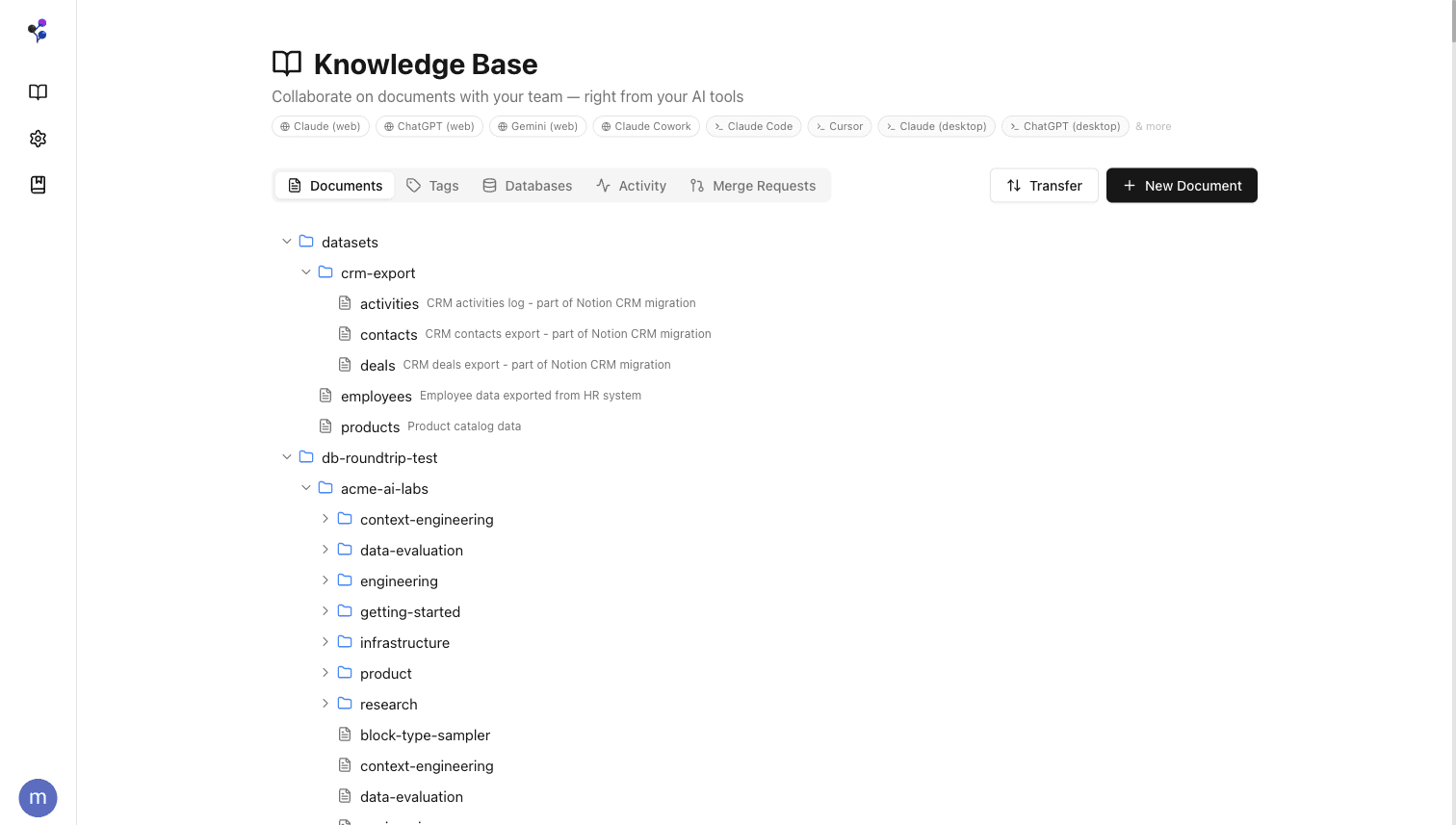
Paths & folders
Structure documents in folders with paths—just like a file system your agents already understand. /engineering/api-reference, /product/roadmap, /guides/onboarding.
Hierarchical tags
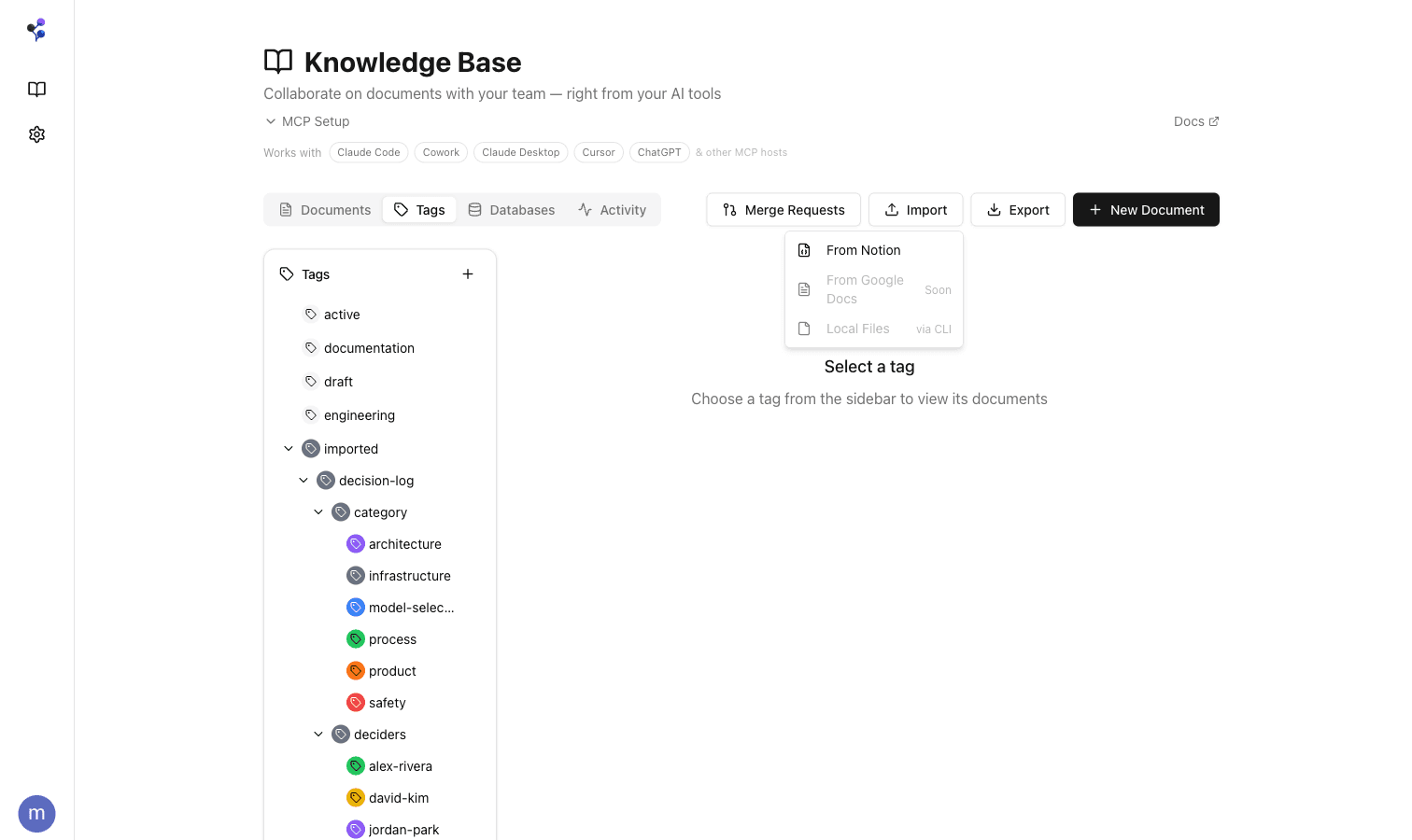
Layer on hierarchical tags for cross-cutting concerns. A document lives in one folder but can have tags like imported.decision-log.architecture or status.active. Tags are structured as trees, so filtering by a parent tag includes all children.
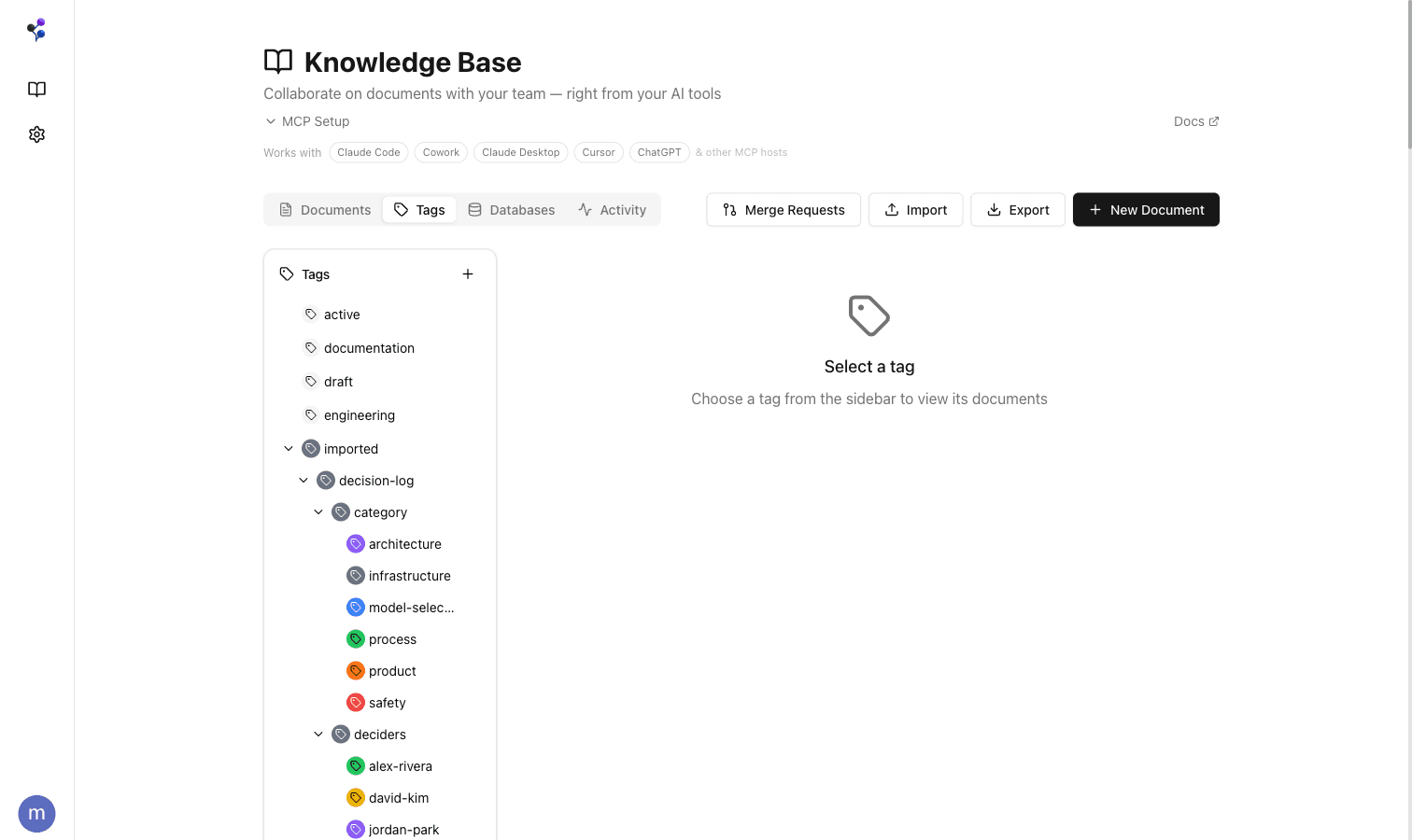
This dual organization model gives you the simplicity of files with the flexibility of a database—and agents navigate both naturally.
Reads and writes, just like local files
For your AI agents, working with Moxn feels like reading and writing files on a shared drive. No special protocols, no custom API clients—just MCP tools that return clean text.
Full-text search across all documents. Filter by path, tags, or content. Agents find what they need and write updates in the same natural flow.
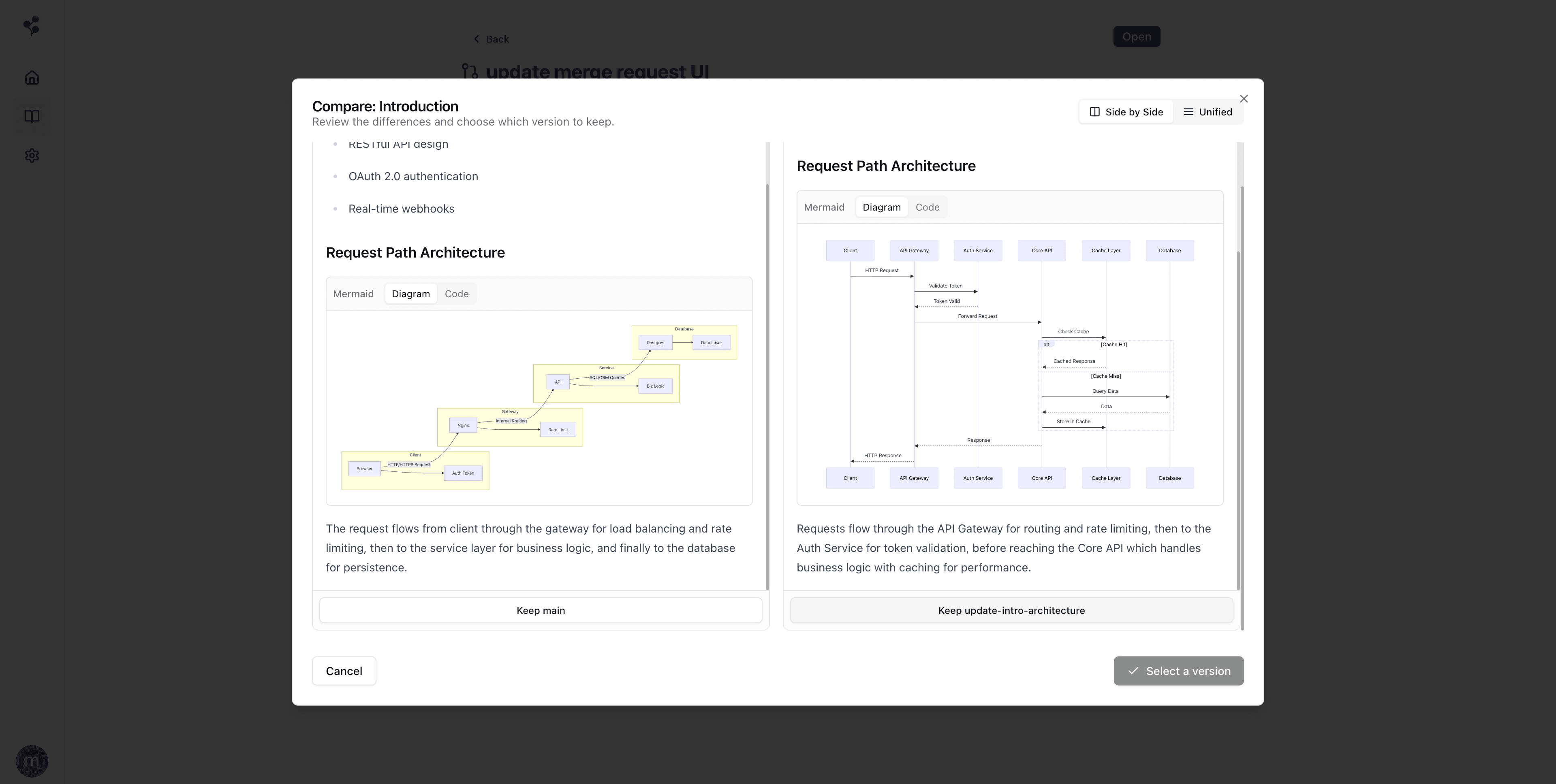
Edit together, merge when ready
Work directly on main for quick updates, or branch when you want to review changes. Whether edits come from your team or an AI agent, you stay in control.
Multiple agents can work on separate branches simultaneously—no deadlocks, no stepping on each other's changes. Merge when ready with visual diffs that render rich content like mermaid diagrams side-by-side.
Full version history means you can always roll back.
Bring your content, keep your options open
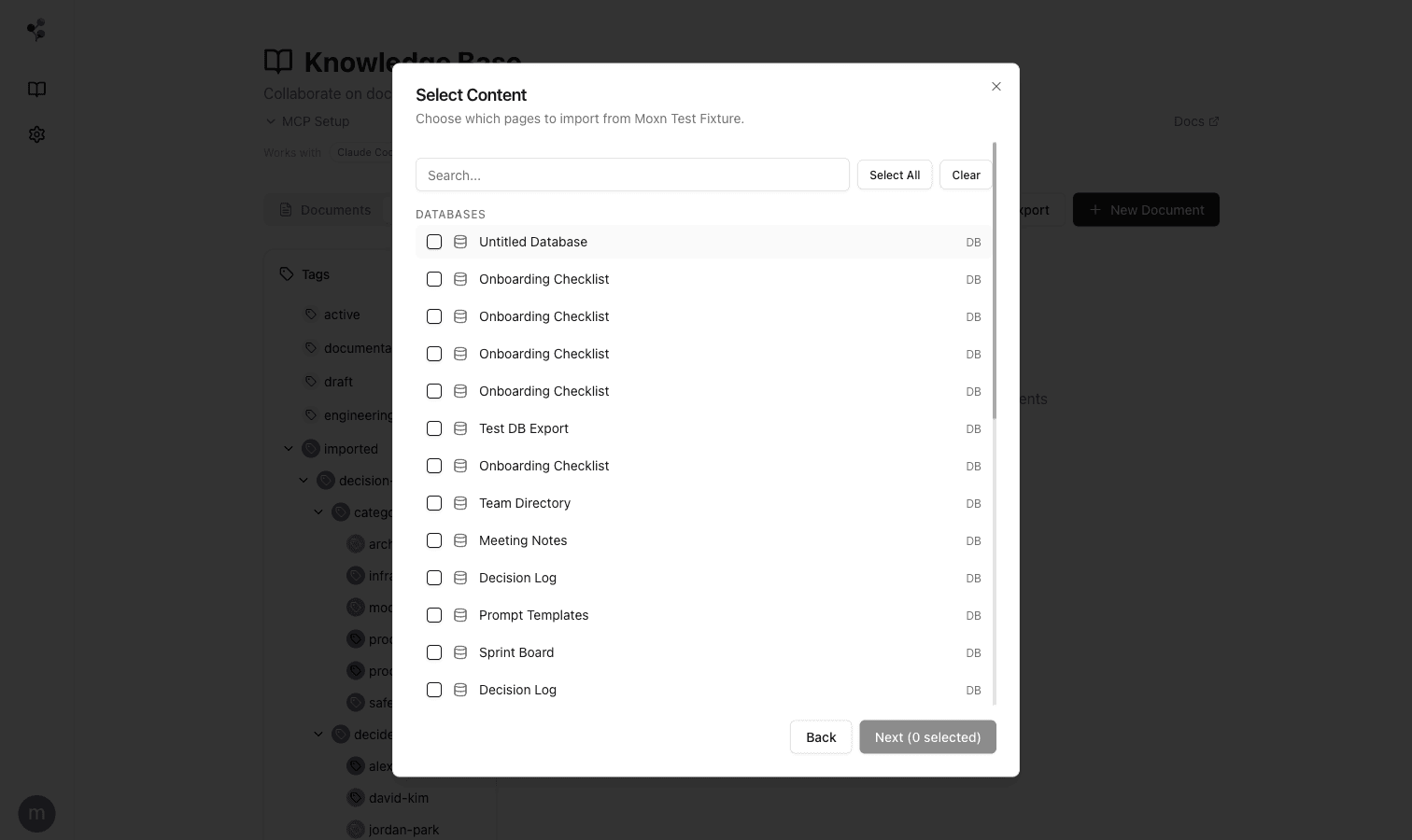
Import from Notion with round-trip fidelity—pages, databases, properties, and cross-references come through intact. Markdown and CSV imports too.
Export back to your current provider any time. If you don't love Moxn, you haven't lost anything.
More integrations coming—Confluence, Google Docs, and more. Need help importing your knowledge base? Join our Slack community and we'll help you get set up.
Your data, protected
Built on SOC2-certified infrastructure with encryption, isolation, and access controls at every layer.
Encrypted everywhere
AES-256 encryption at rest. TLS in transit. API keys hashed with SHA-256.
Workspace isolation
Every operation is scoped to your workspace. Strict tenant boundaries enforced at the data layer.
Authentication & SSO
Enterprise SSO/SAML. Role-based access controls. Scoped API keys with expiration.
SOC2-certified infra
Hosted on Supabase, Vercel, and Clerk—all independently SOC2 Type II certified.
Simple, transparent pricing
Start free, scale as you grow.
60-day free trial for new users. Cancel anytime.
Individual
A shared knowledge base for you and your AI tools
60 days free for new users
- Unlimited documents
- MCP access for AI agents
- Branching, merging & version history
- Search designed for agents
- Section-level permissions
- Notion & Markdown import
- Slack community support
Team
Real-time collaboration for your team and AI agents
60 days free for new users
- Everything in Individual
- Up to 5 team members
- Real-time co-editing
- Priority support
Enterprise
Knowledge management at scale with security controls
- Everything in Team
- Unlimited seats
- SSO/SAML
- Audit logging
- Custom integrations
- Dedicated support